
Print & Play
Printable Checkers Board
A full-page board, pieces to cut out and the rules on one sheet — pick your paper size, press print, play.
Paper
Colours
Sheets
To get a PDF, choose Save as PDF as the printer in the print dialog.
Checkers · playnook.io
Pieces
Cut along the dashed lines — 12 men and 6 kings per side. When a man is crowned, swap it for a king piece.
Checkers · playnook.io
Checkers — quick rules
The starting position. Black moves first.
- Set up. Each player puts 12 men on the dark squares of the three rows nearest them.
- Move. Men move one square diagonally forward, onto an empty dark square.
- Capture. Jump over an adjacent enemy piece into the empty square beyond. Captures are mandatory, and one piece may chain several jumps in a single turn.
- Crown. A man reaching the far row becomes a king — swap in a king piece. Kings move and capture forwards and backwards.
- Win. Your opponent loses when they have no pieces left or no legal move.
Play online: playnook.io/games/play-checkers
What you get
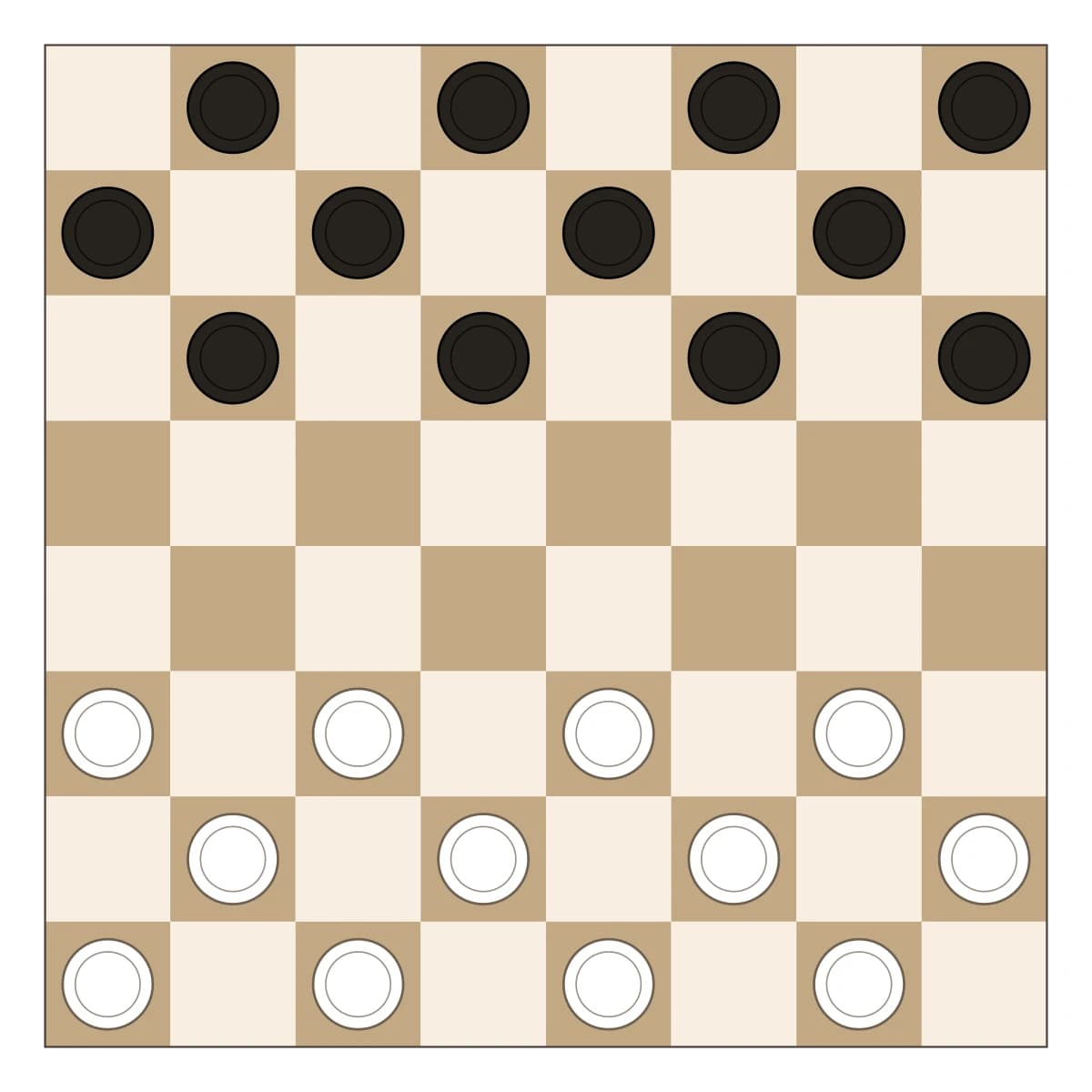
Three sheets, and you only print the ones you need. The board fills the whole page — an 8×8 checkerboard with squares big enough for real pieces. The pieces sheet holds 12 men and 6 kings per side with dashed cutting lines. The rules sheet fits the complete rules of English draughts on one page, starting position included, so the set explains itself at the table.
Everything renders in your browser and prints from it. Nothing is uploaded, nothing is watermarked, and the PDF route is simply the print dialog’s Save as PDF.
Colour or ink saver
The colour version prints the board in warm paper-friendly browns. The ink saver swaps every solid area for hatching and outlines — the dark squares become fine diagonal lines, the dark pieces become hatched rings. On a laser printer that is the difference between a toner-hungry poster and a worksheet you can run off thirty times for a classroom without thinking about it.
Making a board that lasts
Plain paper works for a rainy afternoon. For a board that survives longer: print on thicker stock (160–200 g/m²), laminate it, or glue the sheet onto the lid of a cereal box. The pieces are sturdier when printed on card — or skip them entirely and use coins against buttons, the classic emergency set.
For teachers and classrooms
Checkers is a staple of maths clubs and rainy-day breaks: the rules take two minutes, and the forced-capture rule rewards planning ahead. The ink-saver mode exists for exactly this — a class set of thirty boards costs almost no toner, and the one-page rules sheet means groups can start without waiting for an explanation. The boards you print are yours to use, commercially or in class.
Frequently asked questions
Is it really free? Yes. Print as many copies as you like, at home or for a whole classroom. No account, no watermark.
How do I get it as a PDF? Press Print, then choose “Save as PDF” as the printer in the print dialog. Every browser has that option built in.
How big is the board? It fills the page: about 186 mm square on A4 and 192 mm on US Letter, with squares of roughly 23–24 mm — comfortable for coins, buttons or the printed pieces.
What can I use as pieces if I only print the board? Anything that comes in two colours, 12 per player: coins, buttons, bottle caps, or pieces borrowed from another game. Mark kings by stacking two.
How do I make the board last? Print on thicker paper (160–200 g/m²), or laminate the sheet — laminated boards survive years of classroom use. Glueing the sheet onto cardboard works too.
Rather play right now? Play checkers online against the computer — no printer involved. To write positions down or build puzzles, use the Checkers Diagram Maker, and for the deeper game there is the rules and strategy guide. There is a printable mancala board too, if the table wants a second game.